GRC 339: Assignments

Placeholder webpages

For all the assignments in this class, you’ll be publishing your work on GitHub pages, just like you did in GRC 338.

(In case, you need some refreshing, you can always go back to the GitHub tutorial.)

At this point, you must be somewhat comfortable with GitHub, but you are also aware of some of its annoyances. For example, when you have a 404 error in GitHub, it gets cached for a few hours, which can be really stressful in a tight deadline. So you want to avoid unnecessary surprises. If you already have a placeholder file, you won’t get the 404 error cached, especially because we will include some meta tags (lines 6–8 in the code below) to avoid GitHub’s aggressive caching.

So for the first assignment, I’ll assume you’ll be using the same GitHub account you did for GRC 338. (If you’re using a different account, let me know sooner rather than later.)

Instructions

  1. In your username.github.io repository create the grc339 folder.

  2. Get each assignment name and assignment URL from this list:

    1. Flexbox basic layout: flexbox-basic-layout

    2. Flexbox form: flexbox-form

    3. CSS photo gallery: css-photo-gallery

    4. Digital magazine proposal: digital-magazine-proposal

    5. Digital magazine: digital-magazine

  3. Starting with the first from the list, create a subfolder in your grc339 with the URL of the assignment. (For the first assignment, it’s flexbox-basic-layout.)
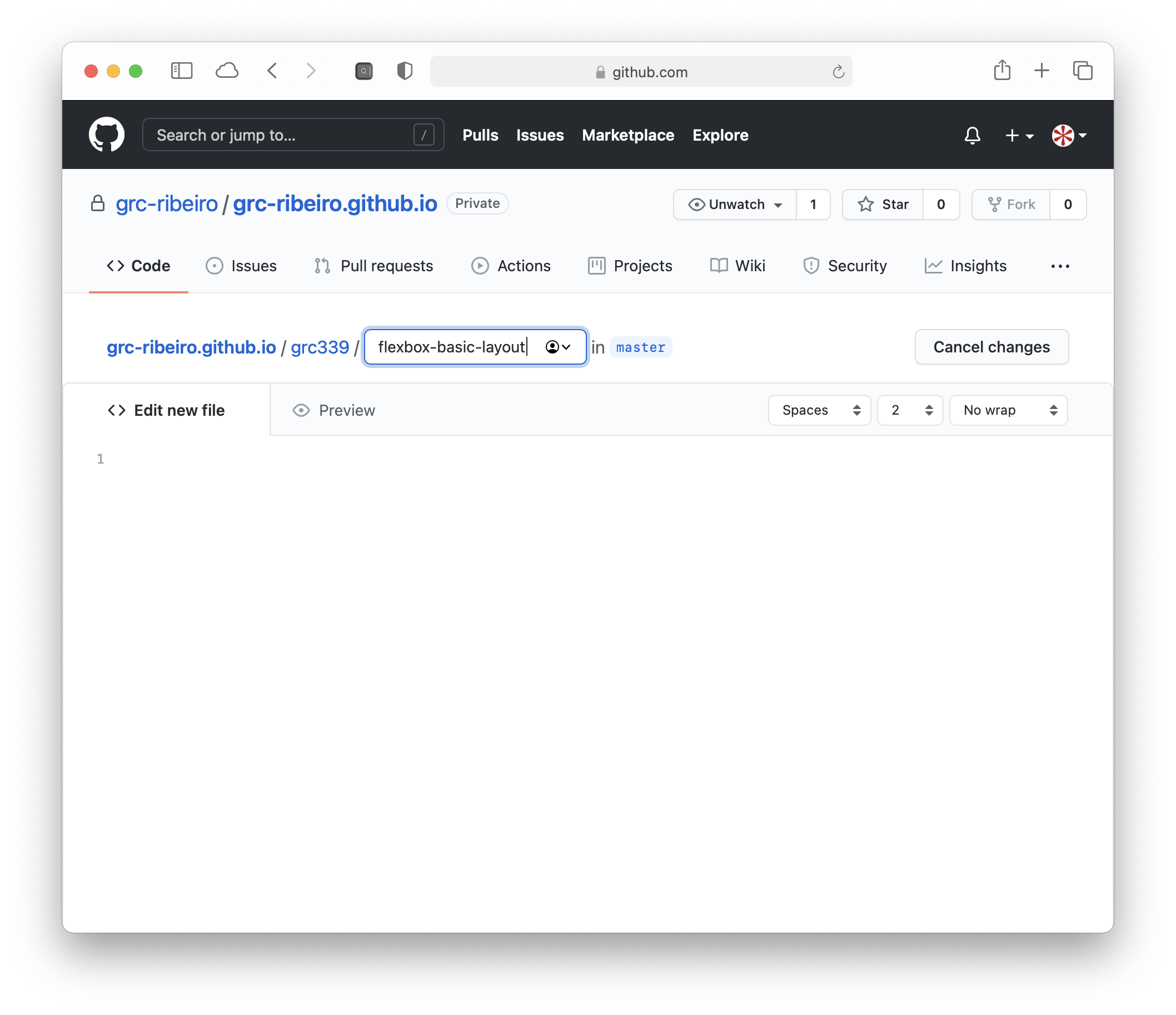
    GitHub repository with flexbox-basic-layout file being created.

  4. Type / so it’s a folder, then create an index.html file in it.
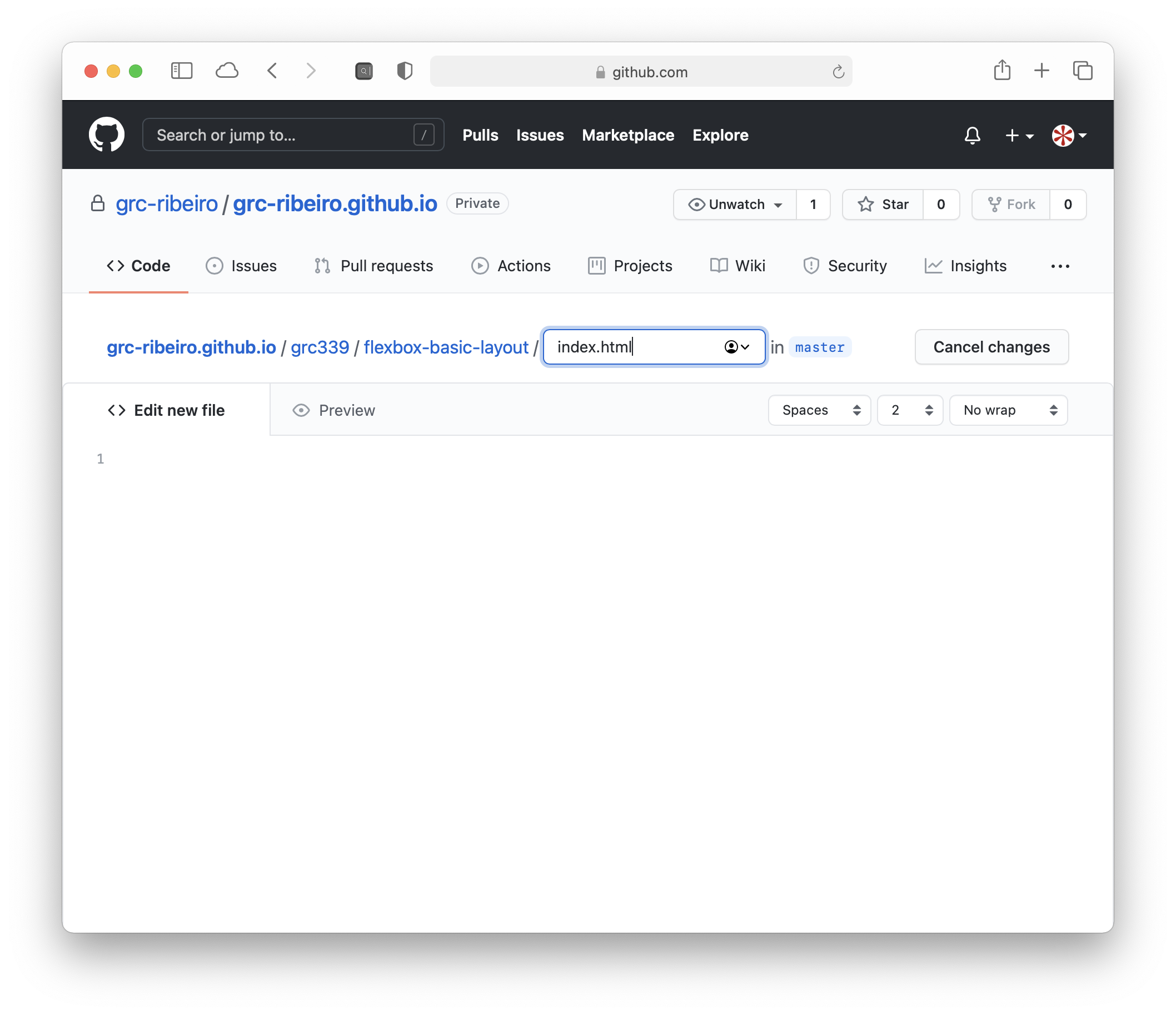
    GitHub repository with flexbox-basic-layout file/index.html being created.

  5. Paste the following code in it:

    <!doctype html>  
    <html lang="en">  
        <head>  
            <meta charset="UTF-8" />  
            <meta name="viewport" content="width=device-width, initial-scale=1" />  
            <meta http-equiv="Cache-Control" content="no-cache, no-store, must-revalidate" />  
            <meta http-equiv="Pragma" content="no-cache" />  
            <meta http-equiv="Expires" content="0" />  
            <title>GRC 339: Assignment name</title>  
        </head>   
        <body>  
            <h1>Assignment name</h1>  
        </body>  
    </html>
    
  6. Replace Assignment name in lines 9 and 12 of your file with the actual assignment name. (For the first assignment, it’s Flexbox basic layout.)
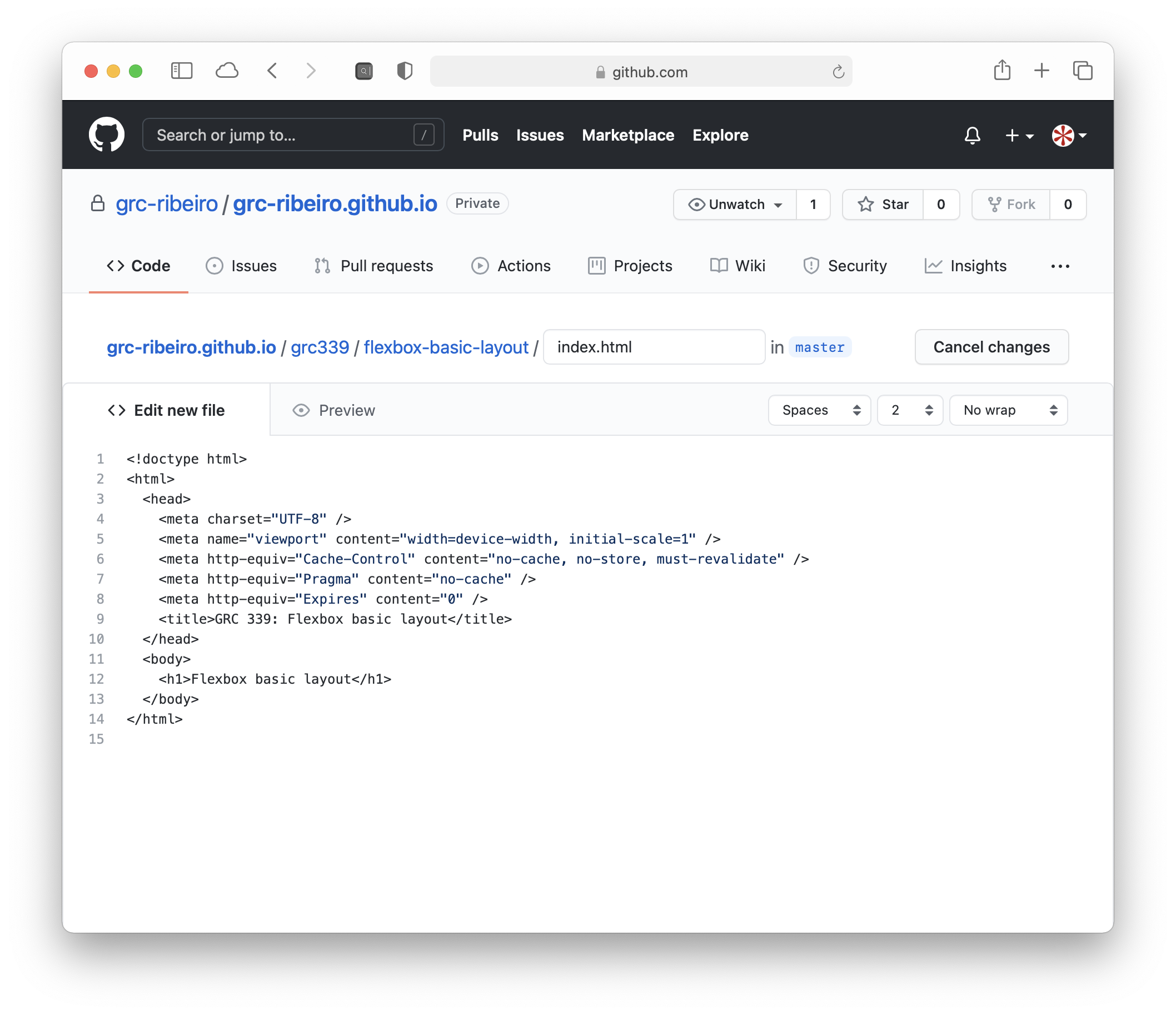
    GitHub repository with the placeholder text in the code area.

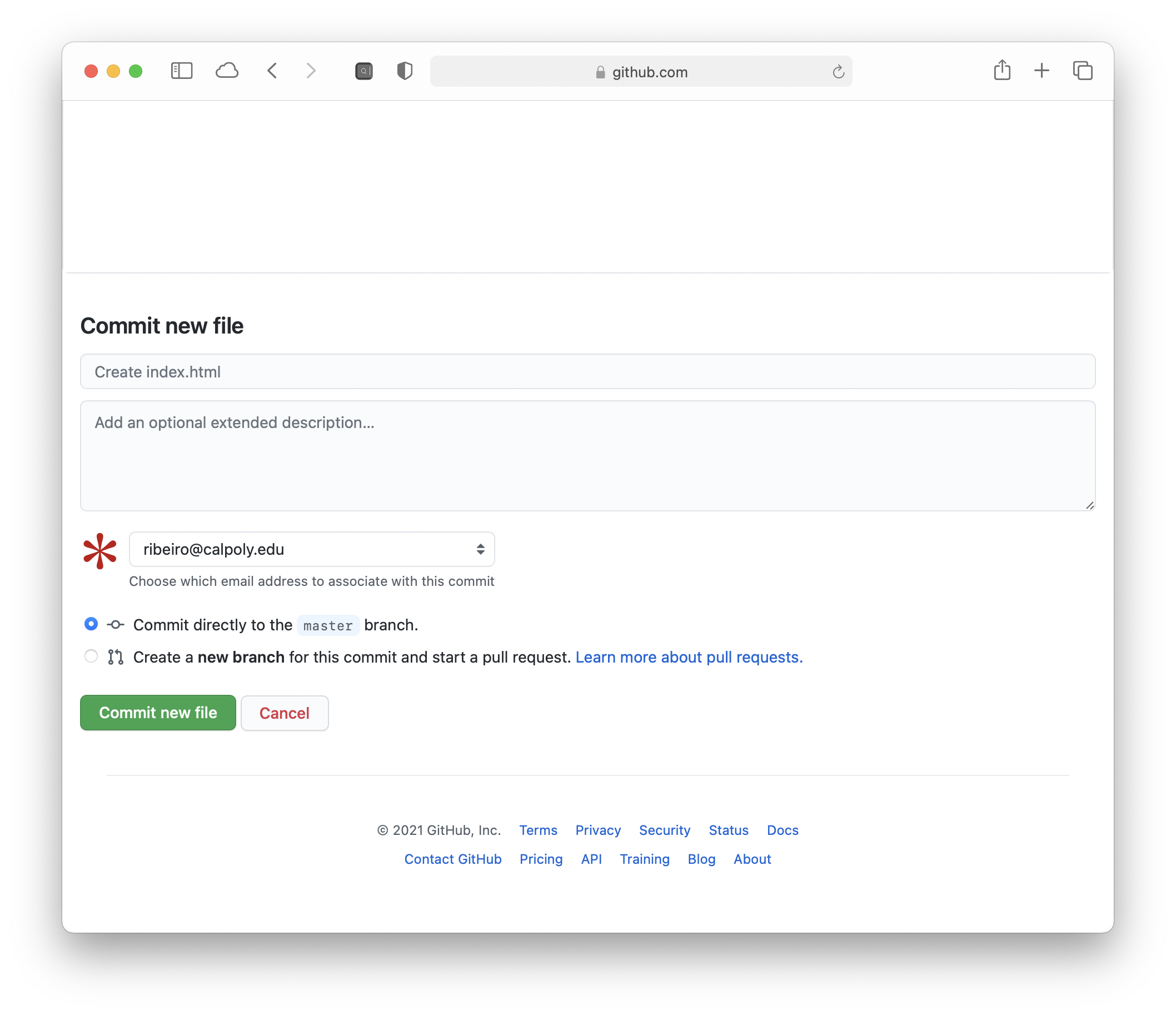
  7. Commit! Remember, you gotta commit!

    GitHub repository with the commit button.

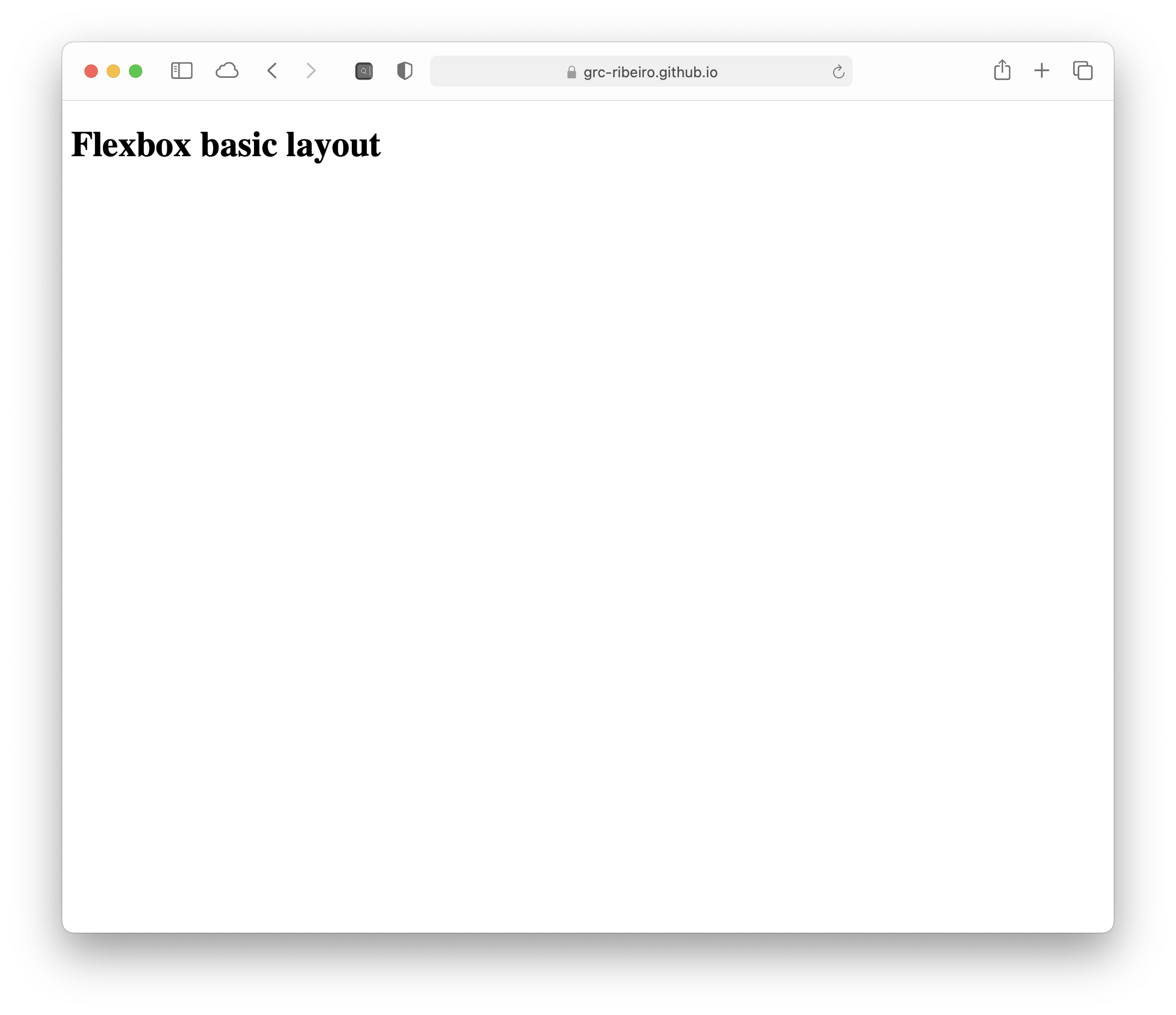
  8. Check your URL.

    Webpage with “Flexbox basic layout” as a heading.

  9. Repeat steps 3 to 8 for each assignment in step 2.

  10. Check if you have all your five subfolders in your grc339 subfolder.
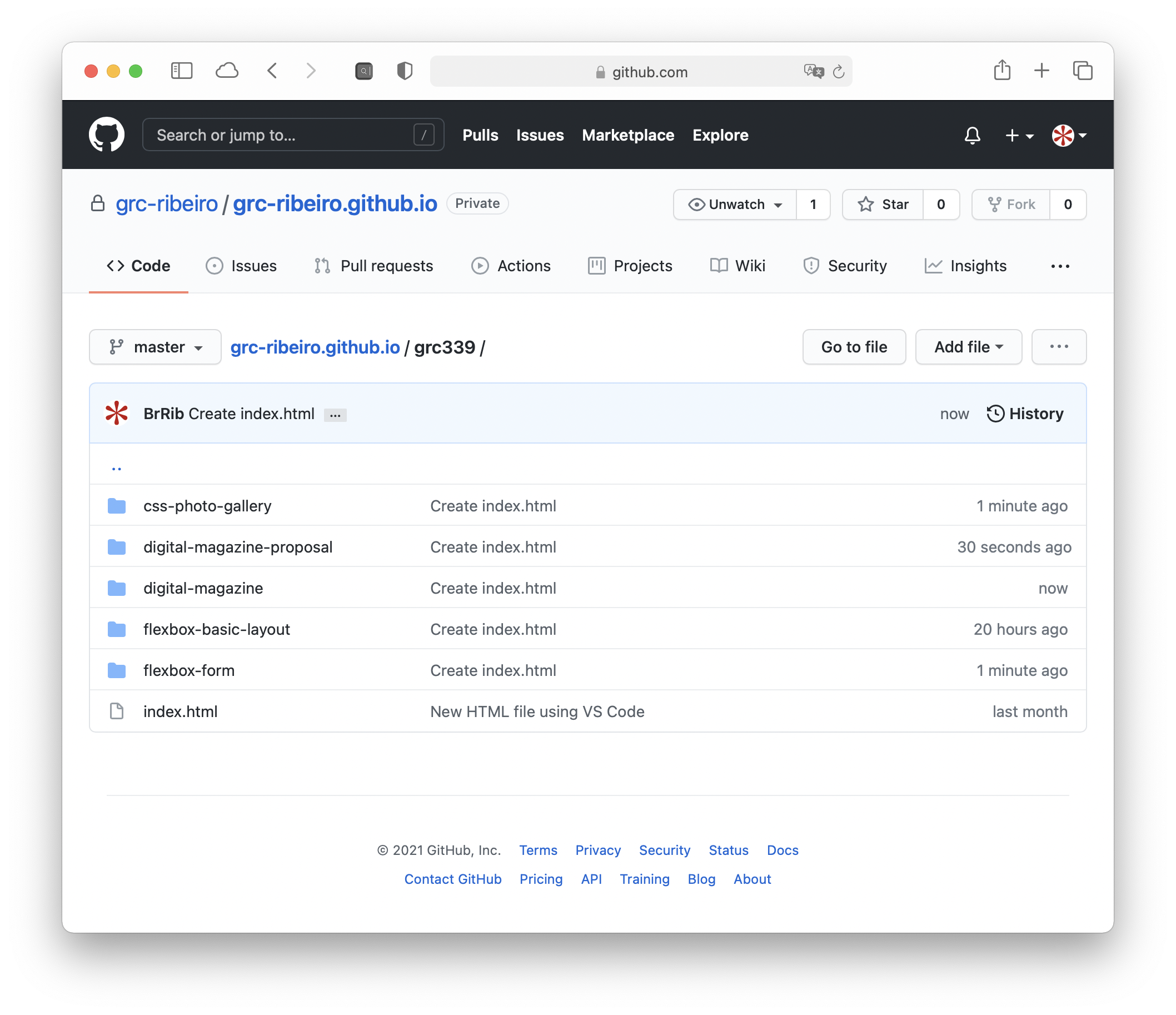
    GitHub repository with five folders inside the grc339 folder.

Submission

Go to each one of the following pages and make sure to click on your name to check if it’s working:

⚠️ Once you’re done, if all the links from your name are working, submit the thumbs-up emoji to Canvas.

Please check Canvas for deadlines.